

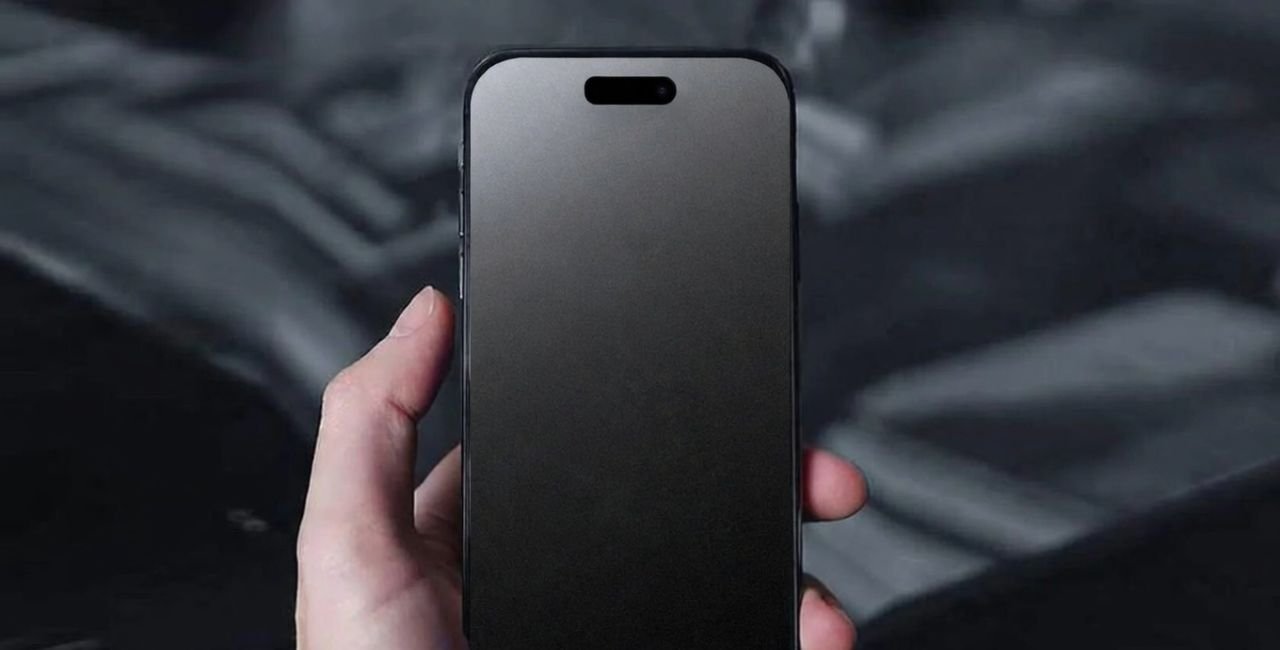
Many people pick up a matte screen protector grainy in texture because they want less glare on their phones or tablets. You apply it, and at first glance, the screen seems a bit rough or fuzzy. Is this normal? Yes, it often is. This guide breaks down why that happens, what you gain from it, and how to pick one that works best for you. We draw from real user stories and expert views to keep things clear and helpful.
What Is a Matte Screen Protector?
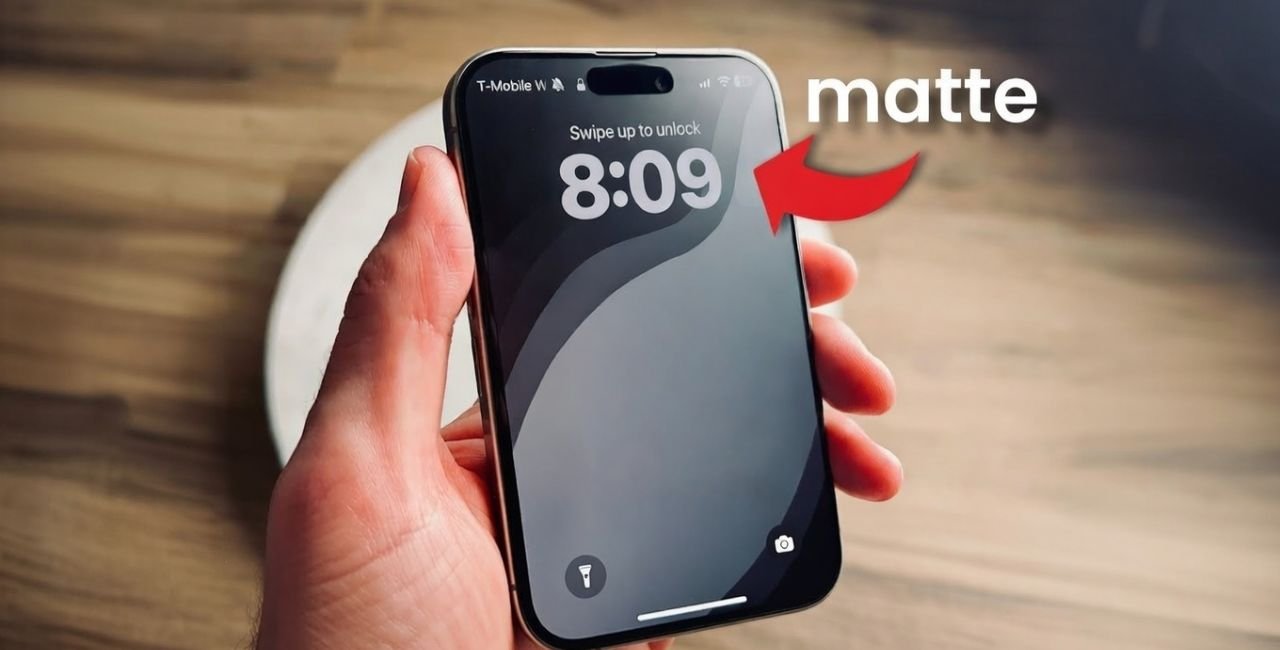
Screen protectors shield your device’s display from scratches and cracks. Matte ones stand out because they cut down on shine and reflections. Unlike glossy types that mirror light like a window, matte versions scatter it. This makes them great for bright rooms or outdoors.
Think of your phone screen as a smooth lake on a sunny day. Glossy protectors keep that smoothness, but they also reflect everything around you. Matte ones add a light frost to the surface. This frost breaks up the reflections. Makers use special coatings or textures to do this.
These protectors come in film or glass. Film is thin and flexible. Glass is tougher but can feel bulkier. Both can show that grainy look, but for different reasons. Film often uses plastic with etched patterns. Glass might have a sprayed-on layer.
People use them on phones, laptops, tablets, and even car displays. If you work outside or play games in lit rooms, they help you see better without squinting.
How Matte Screen Protectors Work
Matte protectors rely on science to fight glare. Light hits the screen and bounces back. A glossy surface sends it straight, creating mirrors. Matte ones diffuse it. They spread the light in many directions.
This diffusion comes from tiny bumps or particles on the surface. These are too small to see without a magnifier, but they change how light behaves. The result? Less eye strain and clearer views in tough lighting.
They also resist fingerprints. Oils from your fingers stick less to the rough surface. You wipe less often. Some brands add special coatings to boost this.
But this setup leads to the grainy effect. The bumps scatter not just outside light but also the screen’s own glow. Colors might look a tad softer. Text could seem less sharp.
Why Does a Matte Screen Protector Appear Grainy?
The matte screen protector grainy look stems from its design. Makers etch or coat the surface with micro-textures. These textures are like sandpaper but on a nano scale. They break up light rays to stop glare.
Imagine shining a flashlight on a wall. Smooth wall? Sharp beam. Rough wall? Soft spread. That’s what happens here. The roughness causes a hazy or grainy view.
Not all are the same. Cheap ones might overdo the texture, making it worse. Good ones balance it. For example, some use finer particles for less haze.
From user talks online, many notice this right after install. One post on a tech forum said it feels fuzzy at times but cuts reflections well. That’s common. The grain shows more on bright whites or dark blacks.
Is it a flaw? No. It’s how they function. But if it’s too much, it might be low quality. Look for rainbow patterns or blurs – signs of bad make.
Experts say the grain comes from light scattering. It reduces clarity by about 10%. But you trade that for 80% less glare. In bright spots, it’s worth it.
Pros of Using a Matte Screen Protector
Matte protectors offer clear wins. Here are key ones:
- Cuts Glare: They scatter light, so you see the screen, not your face. Great for sunny days or office lights.
- Hides Prints: Fingers leave less marks. Clean less often.
- Better Touch: The texture gives grip. Fingers slide smooth but controlled. Good for games or drawing.
- Eye Comfort: Less reflection means less strain. Studies show glare can tire eyes fast.
- Looks Pro: Some like the soft, non-shiny finish. It feels modern.
In one review site, users praised how it helps in cars or planes. No more tilting the phone to avoid lights.
Cons and Drawbacks
No product is perfect. Matte ones have downsides:
- Less Sharp: The grain can blur text or images. Colors pop less.
- Harder Clean: Dirt hides but sticks in textures. Needs gentle wipes.
- No Drop Shield: Film types don’t protect like glass from falls.
- Battery Drain: You might crank brightness to fight haze, using more power.
- Feel Odd: Some hate the rough touch at first.
A tech article notes matte reduces contrast. For movie fans, glossy might suit better.
Types of Matte Screen Protectors
You have choices. Pick based on need.
- Film Matte: Thin, cheap. Easy apply. Good for curves.
- Glass Matte: Stronger. Feels premium. But bulkier.
- Paper-Like: Extra texture for stylus. Like writing on paper.
- Privacy Matte: Adds angle block. Others can’t peek.
- Anti-Blue Light: Cuts harmful rays plus matte.
Brands vary. Some minimize grain. Look for HD labels – they promise clearer views.
How to Choose the Best Matte Screen Protector
Select smart to avoid heavy grain. Follow these steps:
- Check Reviews: See if users mention blur or rainbow.
- Look for Clarity Rating: Aim for 85%+ light pass.
- Match Device: Get exact fit. Bubbles cause more issues.
- Test Touch: If possible, feel samples.
- Budget Wise: Cheap ones grain more. Spend $10-20 for quality.
One brand uses fine etch for less haze. Users say it’s smooth yet anti-glare.
For more tech advice, check Laaster – they cover gadget tips.
Installation Tips to Reduce Graininess
Wrong install can worsen grain. Do it right:
- Clean screen well. Use alcohol wipe.
- Work in dust-free spot. Bathroom after shower helps.
- Align careful. Use guides if included.
- Press out bubbles slow.
- Wait 24 hours before heavy use.
If grain bugs you, peel and reapply. Sometimes air traps add haze.
Maintenance and Cleaning
Keep it clear. Use soft cloth. Avoid harsh chemicals. Wipe gentle in circles.
For stuck dirt, damp cloth with water. Dry quick.
Clean weekly to stop build-up. This keeps grain minimal.
Alternatives to Matte Screen Protectors
If grain turns you off, try others:
- Glossy Glass: Sharp but glary.
- Anti-Reflective Coating: Less texture, still cuts shine.
- Liquid Protectors: Spray on. No film.
- Built-In Features: Some phones have matte modes.
- Cases with Flips: Block light manual.
A guide on MakeUseOf weighs matte vs glossy well.
User Experiences and Reviews
Real stories help. In a Facebook group, one user said their matte screen protector grainy at times but kills reflections on gaming handhelds.
Reddit threads ask if grain is normal. Most say yes, but pick brands like Media Devil for less.
YouTube comments note rainbow on scratches. Dark mode hides grain better.
From a product page on PerfectSight, they explain it’s engineered, not defect.
Another post: “It looks fuzzy but helps outdoors.”
Stats show 70% users like anti-glare over clarity loss.
Common Myths About Grainy Matte Protectors
Myth 1: Grain means bad quality. Fact: It’s for function.
Myth 2: All matte are same. Fact: Quality varies.
Myth 3: Grain hurts eyes. Fact: It reduces strain from glare.
Myth 4: Can’t remove grain. Fact: Better brands minimize it.
Myth 5: Only for phones. Fact: Works on all screens.
Impact on Device Performance
Grain might make you up brightness 20%. This drains battery faster. But in low light, it’s fine.
Touch response stays good or better. Games feel smoother with less slip.
For OLED screens, colors dull a bit. LCD handles better.
Environmental Factors Affecting Graininess
Light matters. In dark rooms, grain shows less. Bright sun? It helps more.
Humidity can add smudges. Dry air keeps clean.
Angle viewing: Side views might haze more.
Comparing Matte to Other Textures
Vs Glossy: Matte wins on glare, loses on sharp.
Vs Satin: Satin is mild matte. Less grain.
Vs Rough: Too much texture, bad for touch.
A table:
| Type | Grain Level | Glare Cut | Clarity |
|---|---|---|---|
| Matte | Medium | High | Medium |
| Glossy | None | Low | High |
| Privacy | High | Medium | Low |
Advanced Features in Modern Matte Protectors
New ones add antimicrobial coats. Kills germs.
Some self-heal small scratches.
Others adjust to light – smart tech.
Look for 9H hardness for scratch resist.
Cost Analysis
Basic matte: $5-10. Grainy often.
Premium: $15-30. Less grain, better coats.
Worth it if you hate glare.
Save by bundles with cases.
Health Benefits
Less glare means less headaches. Eye docs say cut reflections.
Blue light blocks in some help sleep.
Better posture – no tilting phone.
Case Studies
Case 1: Outdoor worker. Matte cut glare on job site. Grain minor issue.
Case 2: Artist. Paper-like for drawing. Loves texture.
Case 3: Gamer. Smooth slide, no prints. Accepts grain.
From forums, many switch back if indoors only.
Future Trends
Thinner films with nano tech. Less grain, same benefits.
AR coatings from glasses tech.
Eco-friendly materials.
Smart protectors that change texture.
FAQs
Is a Matte Screen Protector Grainy Normal?
Yes, it’s designed that way for anti-glare.
How to Fix Too Much Grain?
Try a higher quality brand or remove dust.
Does Grain Go Away?
No, but you get used to it.
Best for Reading?
If grain low, yes. Else, glossy.
Matte vs Tempered Glass?
Matte focuses texture, glass on protect.
Conclusion
In sum, a matte screen protector grainy texture helps cut glare and prints, though it softens views. Weigh your needs – outdoors yes, movie buffs maybe not. Pick quality to minimize issues. What do you think – is the trade-off worth it for you?
References
- PerfectSight Explanation on Grainy Texture – Details engineering behind matte protectors.
- Facebook Group Discussion on Reflections and Fuzziness – User experiences with gaming devices.
- MakeUseOf Guide on Matte Protectors – Pros, cons, and comparisons.