
If you own a Lexus, you know these vehicles blend luxury with advanced safety features. One key maintenance task keeps those systems running smoothly: techstream lexus zero point calibration. This process resets sensors that control stability and traction. It ensures your car handles turns and stops safely. Many drivers face warning lights after alignments or repairs. This calibration fixes them. In this article, we break it down simply. You get actionable steps, tips, and insights. We draw from real user experiences and expert advice. By the end, you can tackle this yourself or know what to ask a mechanic.
Understanding Zero Point Calibration in Lexus Vehicles
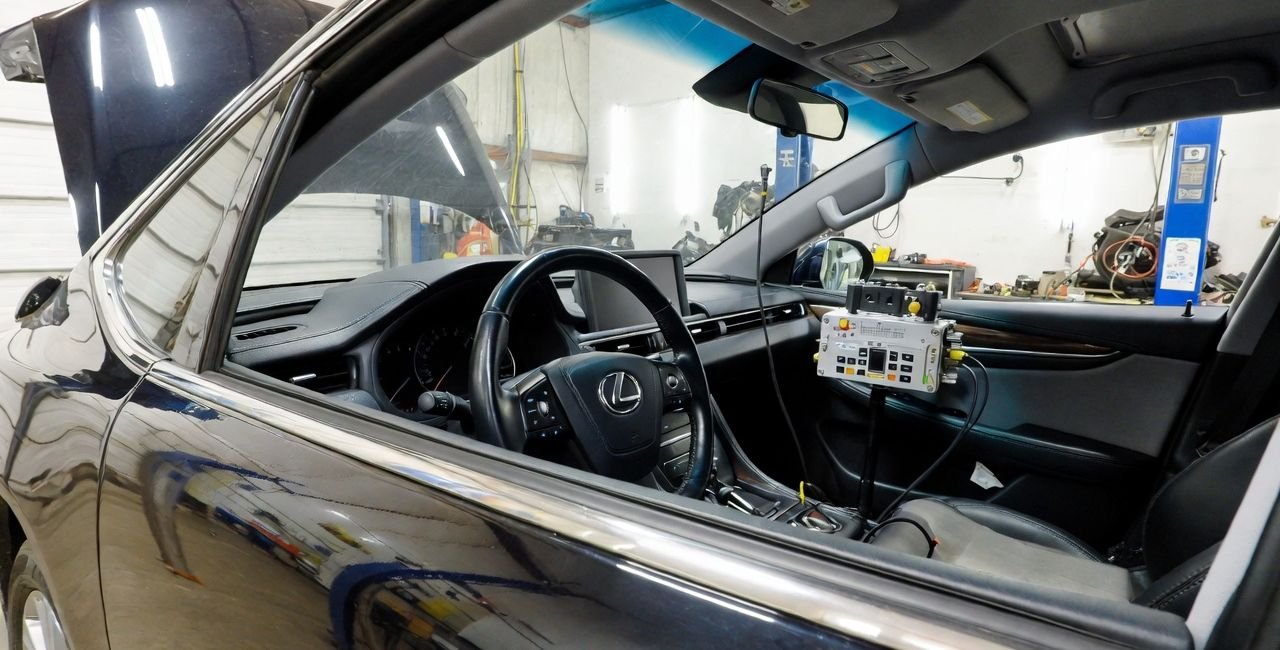
Zero point calibration sets a baseline for your car’s sensors. Think of it as telling the vehicle what “straight and level” means. Lexus cars use this for systems like Vehicle Stability Control (VSC) and Traction Control (TRAC). These features prevent skids and slips. Without proper calibration, lights flash on your dash. Your car might feel unstable.
Sensors involved include the yaw rate sensor, which detects rotation. The acceleration sensor measures speed changes. The steering angle sensor tracks wheel position. When you replace parts or align wheels, these sensors lose their reference point. Calibration restores it.
Why does this matter? Safety first. According to road safety data, stability systems reduce crashes by up to 30%. In Lexus models, ignoring calibration leads to false warnings. It might disable safety aids. Common triggers include tire rotations, suspension work, or even battery swaps.
Lexus started integrating these systems in the 1990s. Early models like the LS400 had basic ABS. By the 2000s, VSC became standard. Today, it’s in every Lexus. Calibration ensures these evolve with your driving.
The Role of Techstream Software in Calibration
Techstream is Toyota’s diagnostic tool. Since Lexus is under Toyota, it works for both. The software connects to your car’s computer. It reads codes, resets systems, and calibrates sensors.
Techstream began in the early 2000s. It replaced older tools for better accuracy. Versions evolved from 8.x to 18.x. Each update adds support for new models. For instance, version 18.00.008 fixed bugs and added 2024 Lexus compatibility.
You need a cable to link Techstream to your Lexus. Common ones are Mini VCI J2534. They plug into the OBD-II port under the dash. Software runs on Windows laptops. Setup is straightforward: Install, connect, and select your model.
Techstream shines for precision. It handles full system scans. For calibration, it guides you through menus. No guesswork. Users praise its reliability over generic scanners.
Why Perform Techstream Lexus Zero Point Calibration?
Calibration prevents problems. After an alignment, sensors might misread positions. This triggers VSC or TRAC lights. Driving feels off. In wet conditions, it risks skids.
Mechanics recommend it after:
- Wheel alignments
- Sensor replacements
- Suspension mods
- Battery disconnects
Statistics show uncalibrated systems increase accident risks. A study by the National Highway Traffic Safety Administration notes electronic stability control cuts fatal crashes by 20-30%. Proper calibration keeps this active.
For Lexus owners, it’s reassuring. You regain full control. No more dash lights distracting you. It extends part life too. Ignored issues strain sensors, leading to costly fixes.
Tools and Preparation for the Procedure
Gather these before starting:
- Techstream software (download legitimate versions)
- Compatible cable (e.g., Mini VCI)
- Windows laptop
- Stable battery charger (prevents drain)
Park on flat ground. Turn off accessories. Ensure tires are straight. Ignition on, engine off. Connect the cable to OBD-II and laptop.
Safety first: No movement during calibration. It confuses sensors. If battery weakens, charge it. Low power causes failures.
For advanced setups, consider tools from sites like Laaster. They offer precision aids for alignments.
Step-by-Step Guide to Techstream Lexus Zero Point Calibration
Follow these steps carefully. We focus on common Lexus models like LS, GS, and RX.
- Connect Equipment: Plug the cable into OBD-II. Link to laptop. Open Techstream. Select “Connect to Vehicle.”
- Select Model: Choose your Lexus year and model. Confirm connection.
- Access ABS/VSC Menu: Go to “ABS/VSC/TRAC” section.
- Reset Memory: In “Utility,” pick “Reset Memory.” Confirm prompts.
- Enter Test Mode: Select “Test Mode.” Lights flash. Wait for completion.
- Turn Off and On: Shut ignition for 3 seconds. Restart.
- Verify: Check dash lights. Test drive gently.
This takes 10-15 minutes. If codes persist, scan again. For detailed visuals, see this forum guide.
Troubleshooting Common Problems
Issues happen. Here’s how to fix them.
- Lights Stay On: Recheck level ground. Repeat steps. Faulty sensor? Replace it.
- Battery Drain: Use a charger. Prolonged sessions weaken batteries.
- Steering Off-Center: Align wheels first. Calibration assumes straight tires.
- Code C1290 Persists: Check wiring. Sensor faults common in older Lexus.
Users report success after multiple tries. One GS owner fixed VSC after battery swap. Patience pays off.
Alternatives to Techstream for Calibration
Not everyone has Techstream. Try these.
- Manual Method: Use paperclips on OBD pins. Short CG and TS. Wait for beeps. Simple, no tools.
- Third-Party Scanners: Launch X431 Creader Elite. It matches Techstream features. Affordable at $100-200.
- VXDIAG Nano: Supports Lexus. Good for programming too.
For occupant detection, see this calibration resource.
Manual works for basic resets. Scanners add diagnostics. Choose based on needs.
Compatible Lexus Models
Most Lexus from 1996 onward work. Key ones:
- LS (2001-2006 and later)
- GS (2007+)
- ES (2000+)
- RX, GX hybrids
Check your manual. Newer like 2024 NX need updated software.
Advanced Tips for Optimal Results
- Update Techstream regularly.
- Combine with alignment for best handling.
- Monitor sensors post-calibration.
Examples: After lifts, Tacoma owners adapt for Lexus. See this discussion.
FAQs on Techstream Lexus Zero Point Calibration
What triggers the need for techstream lexus zero point calibration? Alignments, repairs, or lights on dash.
Can I do it without Techstream? Yes, manual method works.
How long does it take? 10-20 minutes.
What if it fails? Check battery, ground, retry.
Is it safe for hybrids? Yes, follow same steps.
Conclusion
Techstream lexus zero point calibration keeps your Lexus safe and smooth. It resets key sensors for top performance. Follow our guide, and you’ll fix issues fast. Remember preparation and troubleshooting. With practice, it’s easy. Have you tried this on your Lexus? Share your experience below!
References
- ClubLexus Forum: Detailed steps and user experiences for LS models.
- Tolerance-Stack: Occupant detection calibration insights.
- TacomaWorld: Discussions on Toyota adaptations for Lexus.
- YouTube Tutorials: Visual guides for steering angle resets.
- Toyota Techinfo: Official software history and updates.